The Hardware for WaterFeeler2 is mostly complete, but i'm still working on the software and testing the system.
But i can give you a first look at the hardware at this point. As you can see, the electronics box is completely stuffed full of electronics:
Electronics box
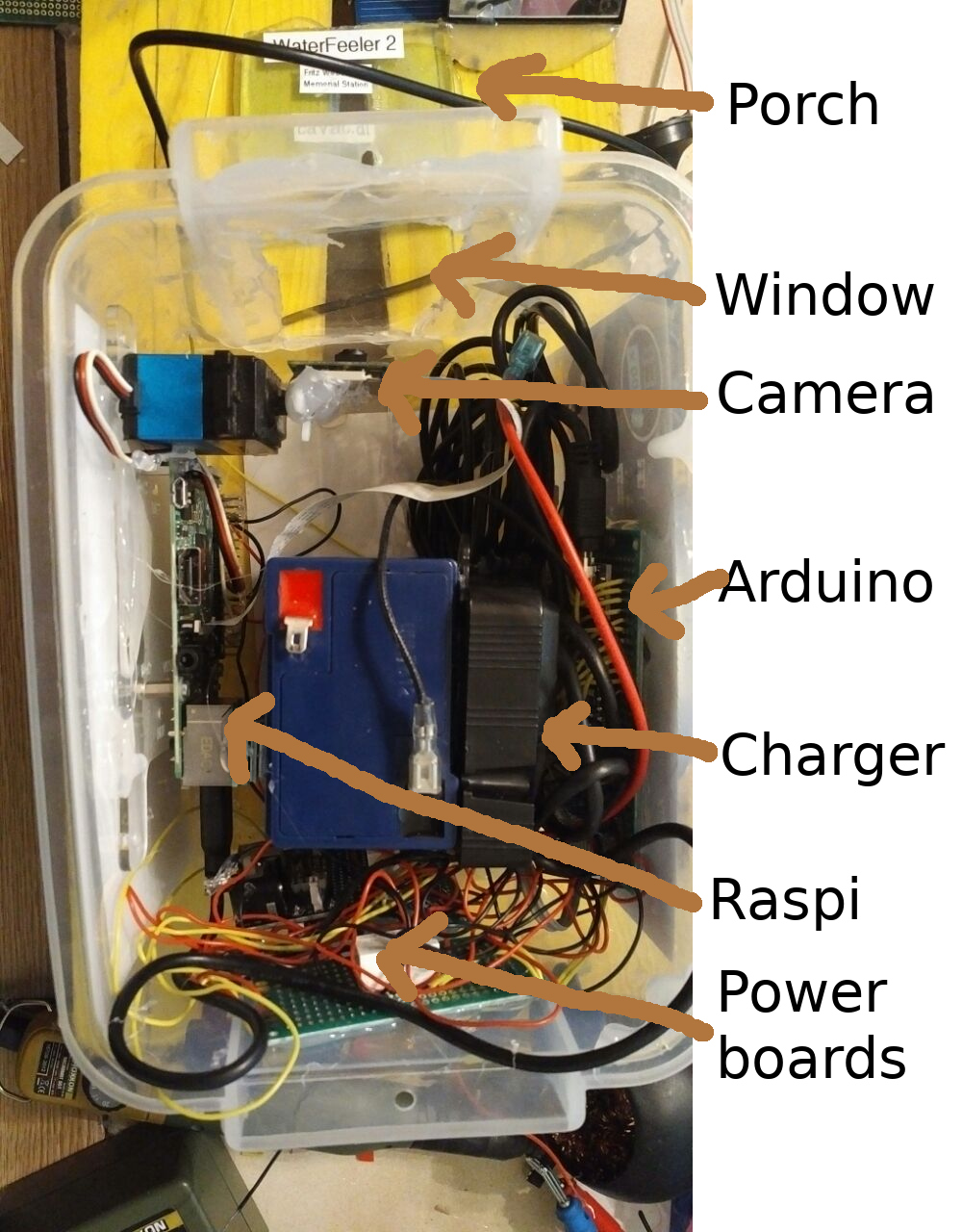
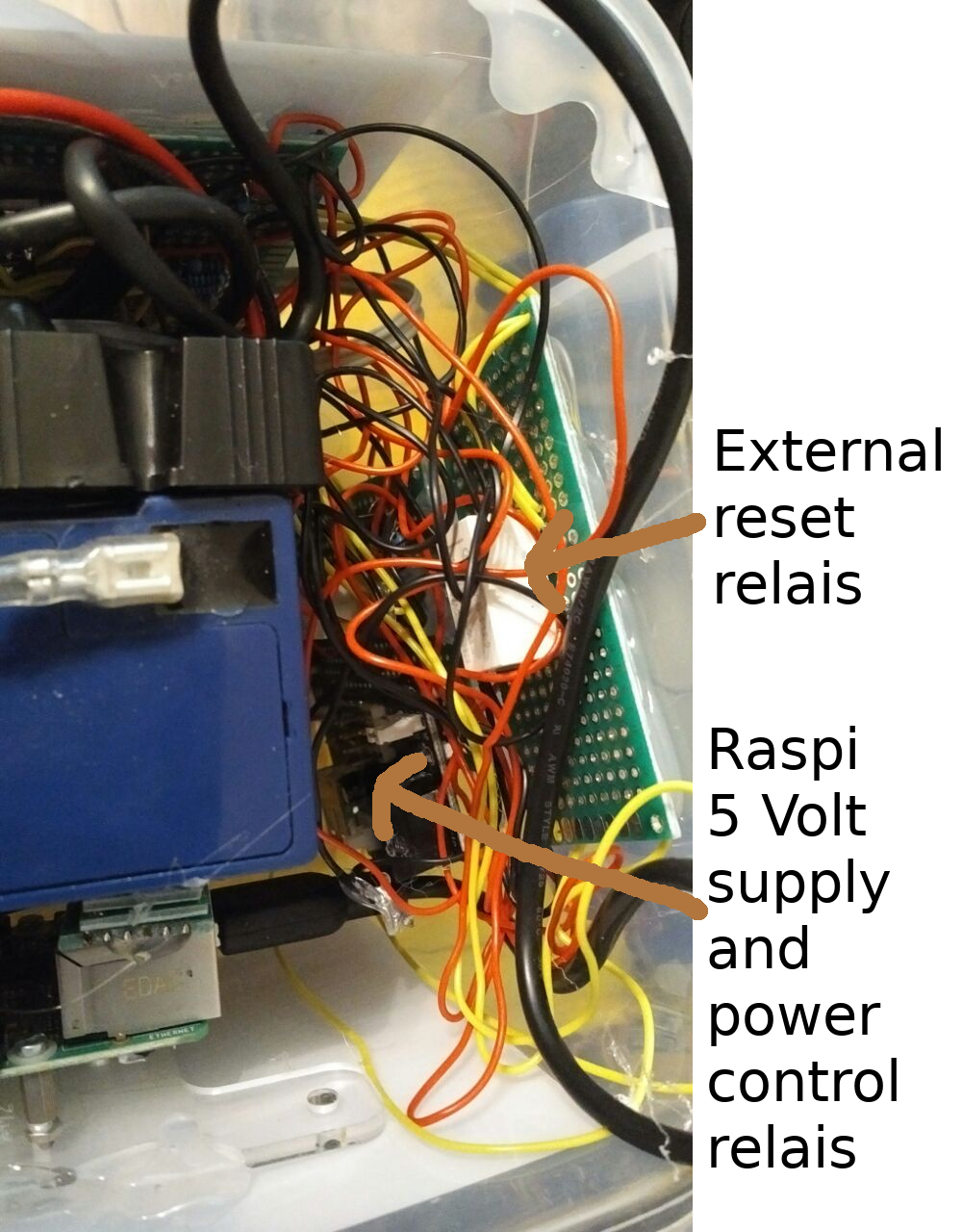
This is the same box used for the original WaterFeeler, but it now also includes an additional voltage regulator and power control relais assembly for the Raspberry pi, the Raspberry Pi itself, a servo and a Raspberry Pi camera.
The Porch
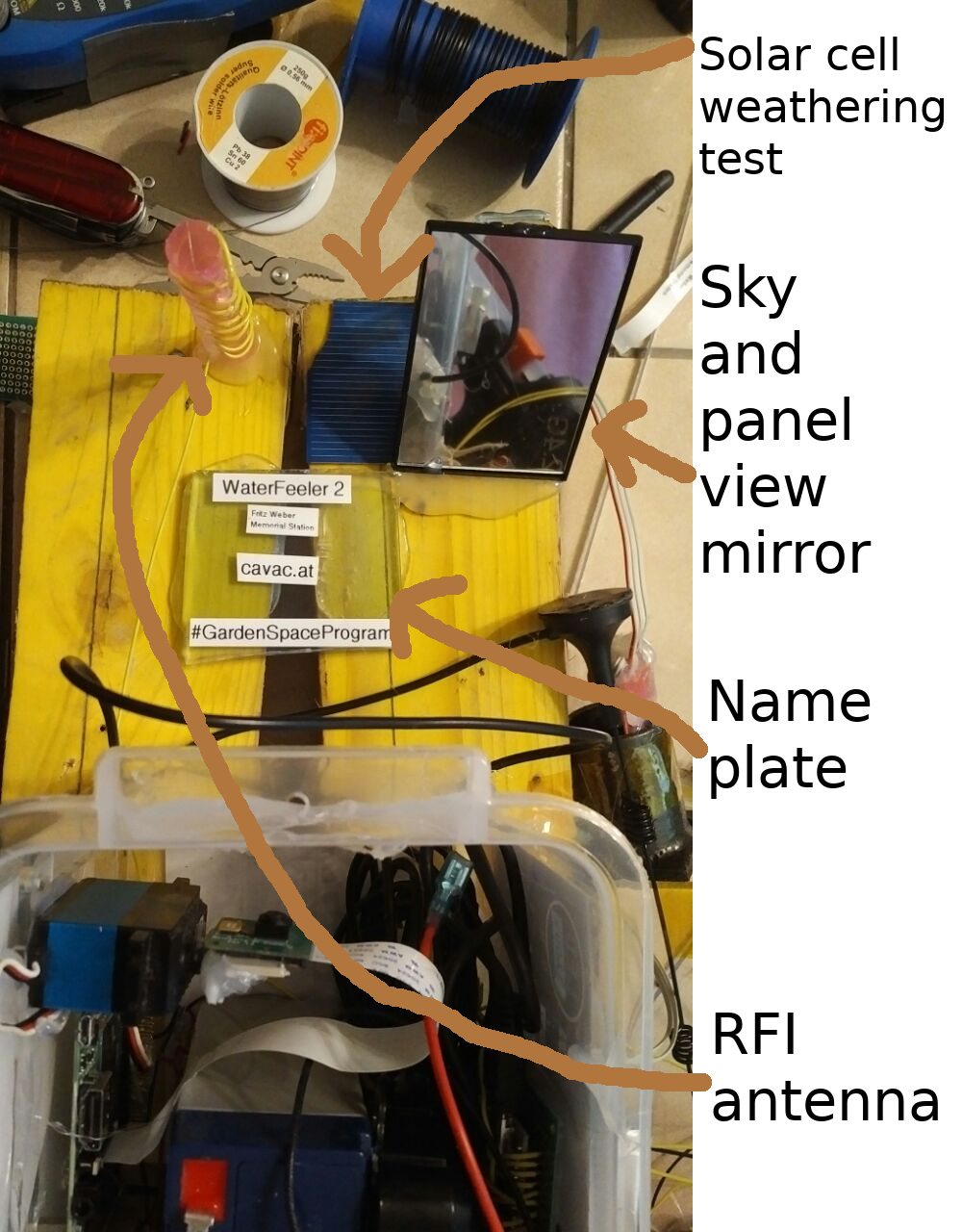
The new "lower science deck" (internally known as "the porch") sports science experiments for the camera as well as the antenna for the radio frequency interference (RFI) experiment to try and detect 50 Hertz power line noise.
The RFI antenna is also part of a visual experiment to detect water and insects. The antenna is hollow and somewhat transparent. Rainwater pooled inside may show up in the camera image. I have not yet decided, but i may put in some sugar as well in the hope to lure insects inside it.
The porch also sports a "sky and panel mirror" that helps the camera to look at the sky and back at the edge of the solar panel to detect rain and clouds. While the camera also looks directly upwards to the solar panel, the panel is to close to the camera to get a decent focus - the mirror increases the distance and gives a clearer image. That part of the panel may also be blocked by leaves, so a second view path helps to protect against that problem.
The nameplate also serves a tripple purpose. Aside from, you know, showing the name of the mission, it also should show up nicely how much dust and dirt collects in a flat area under the solar panel. It should also prevent grass growing directly in front of the camera (there is still a small piece of plastic missing).
The broken piece of a solar cell on the porch is an experiment to determine how badly these things age when not protected from weather. My hope is that it wont change color all that much, because i have a lot of these scraps and they might make a somewhat decent no-cost color calibration target for the blue channel.
PanCam
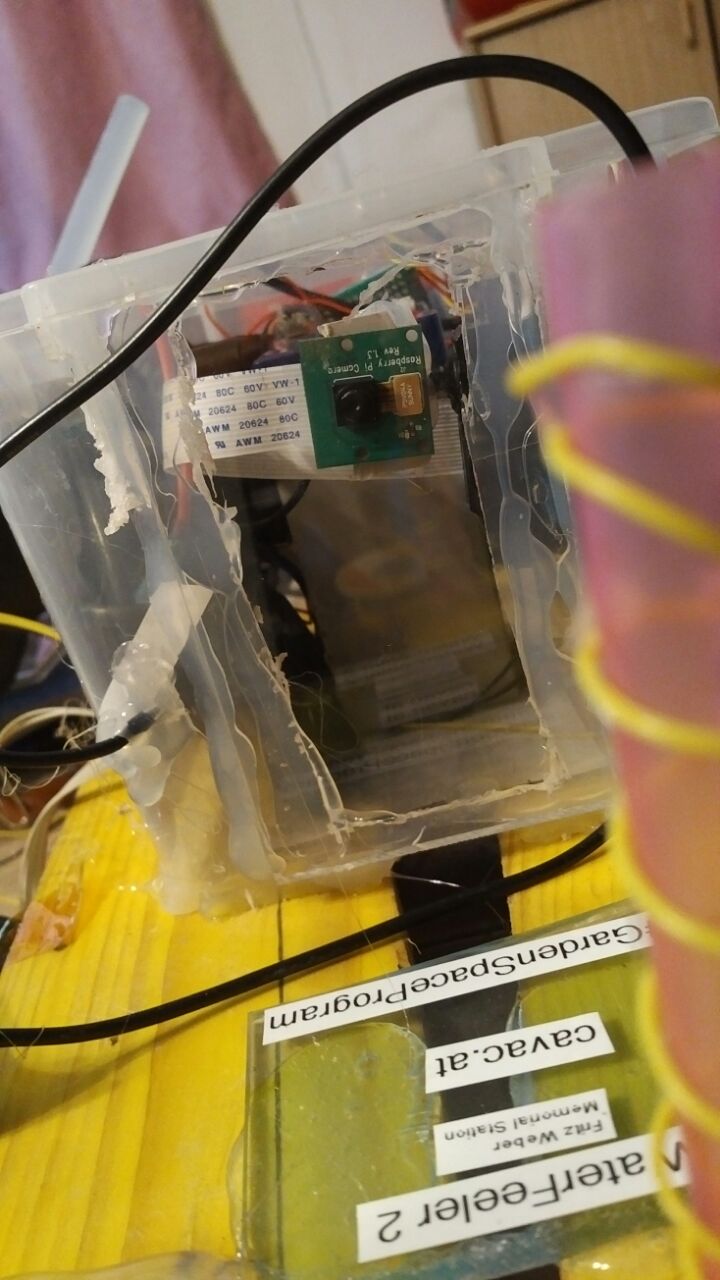
The vertical panoramic camera (PanCam) is the major science upgrade of WaterFeeler 2. The servo can move the camera about 145 degrees up and down or so. When taking a panorama, the raspberry takes 9 photos with different servo angles, merges then into a fixed size panorama image using "hugin_executor" , resizes the panorama to four different resolutions and exports all the bitplanes (plus a greyscale bitplane) into "raw bitplane" files.
These can now be downloaded block by block. (1 block = 16 bytes).
Upload of files is also possible in order to update the PanCam scripts and even flash the Arduino with a new firmware.
Since the Raspberry Pi and Servo use a metric crapton of power (a standardized ElectroBoom measurement), they will be shut down most of the time via a relais controlled by the Arduino. From the standpoint of communication, the Raspberry/PanCam shows up as a separate probe on the RF24 network with its own ID. It doesn't have it's own transciever/antenna, all communication goes through the USB cables to the Arduino. From the standpoint of the Arduino, the USB/Serial interface is just another radio transceiver with a bit ofd special routing. So the all packets from mission control to the PanCam need to have WaterFeeler2 in the NEXTLINK routing chain. The same goes when PanCam wants to send packets to mission control.
But the "it's the same packet format and routing as everything else" design makes it also trivial for the PanCam to send commands to the Arduino. While not much is planned at the moment, at least a "delayed power off" command will be implemented: When sending a shutdown command from mission control to PanCam, PanCam can request a "power me down in 30 seconds" from the Arduino before shutting down its own operating system. This should help against the case of accidentaly leaving power to the PanCam on even after sending it a shutdown command from mission control. (The PanCam is running Linux and needs a clean shutdown before powering off, so this is normally a two step process).
Test panorama
This is a test panorama i made today, with the solar panel on top somewhat correctly placed. The image here is the "medium resolution" image in 1166x224 pixels.

The four currently implemented resolutions are:
- Large 2329x448, 1019kB per bitplane
- Medium 1166x224, 256kB per bitplane
- Small 583x112, 64kB per bitplane
- Thumbnail 291x56, 16kB per bitplane
This doesn't sound like much, but the download speed will probably be somewhere from 32 to 160 bytes per second. I might be able to achieve a bit more after tweaking, but i'm not sure yet. At 160 bps, even a full color thumbnail will take about 300 seconds (or 5 minutes) to download. Given the amount of solar power available and how much the PanCam uses, downloading a full color "Large" image might take a few weeks.
While downloading such a high resolution image is certainly on my "optional mission goals" bucket list, by cleverly requesting only certain block ranges it is entirely possible to download only interesting portions of the image an fill in the rest with a blown up lower resolution image. With a bit of image trickery it's also quite possible to download a high resolution greyscale image and colorize it by downloading only two lower resolution color planes. (The greyscale image is an average of red, green and blue, so if you have the red and the green, you can calculate the blue). The image should still show high detail (for a raspberry pi camera image, at least) with a bit blockier coloring. NASA has demonstrated this technique with at least a few New Horizons images.
In theory it's also possible to download the source JPEG images, but that's not planned on only really required if we get camera/servo problems and we need to create a new profile for the "hugin" panorama creator. Downloading those images would be a huge multi-month task, we are talking about 23 megabytes or so. But to be frank, it's more likely that other parts of PanCam would die much before the servo, like the flex cable between the Raspberry PI and the camera.
|
